
That's La Plagne contains affiliate links and is a member of the Amazon affiliate program. If you make a purchase using one of these links, I may receive a small commission - at no extra cost to you. I never recommend anything I haven't experienced myself, and the commission helps me keep this site running at full speed! See my Disclosure Policy for extra information.
How to use iPhone Burst Mode to get Perfect Action Ski Photos
Living in La Plagne, I’ve turned the breathtaking mountains into both a playground for my two young children and the canvas for my career. As a snow sports social media manager and content creator, my days are a whirlwind of capturing the essence of ski life, from the early morning runs to the cosy après-ski moments at dusk.
And we know that skiing and ski holidays for us aren’t just about the sport; they’re about creating memories and sharing our love for the snow with friends, family, and, thanks to social media, the world. Through my lens, I aim to capture not just the action and skill of snow sports but the laughter, the falls, the triumphs, and the togetherness that define our days here.
How to Take Perfect Ski Holiday Pictures
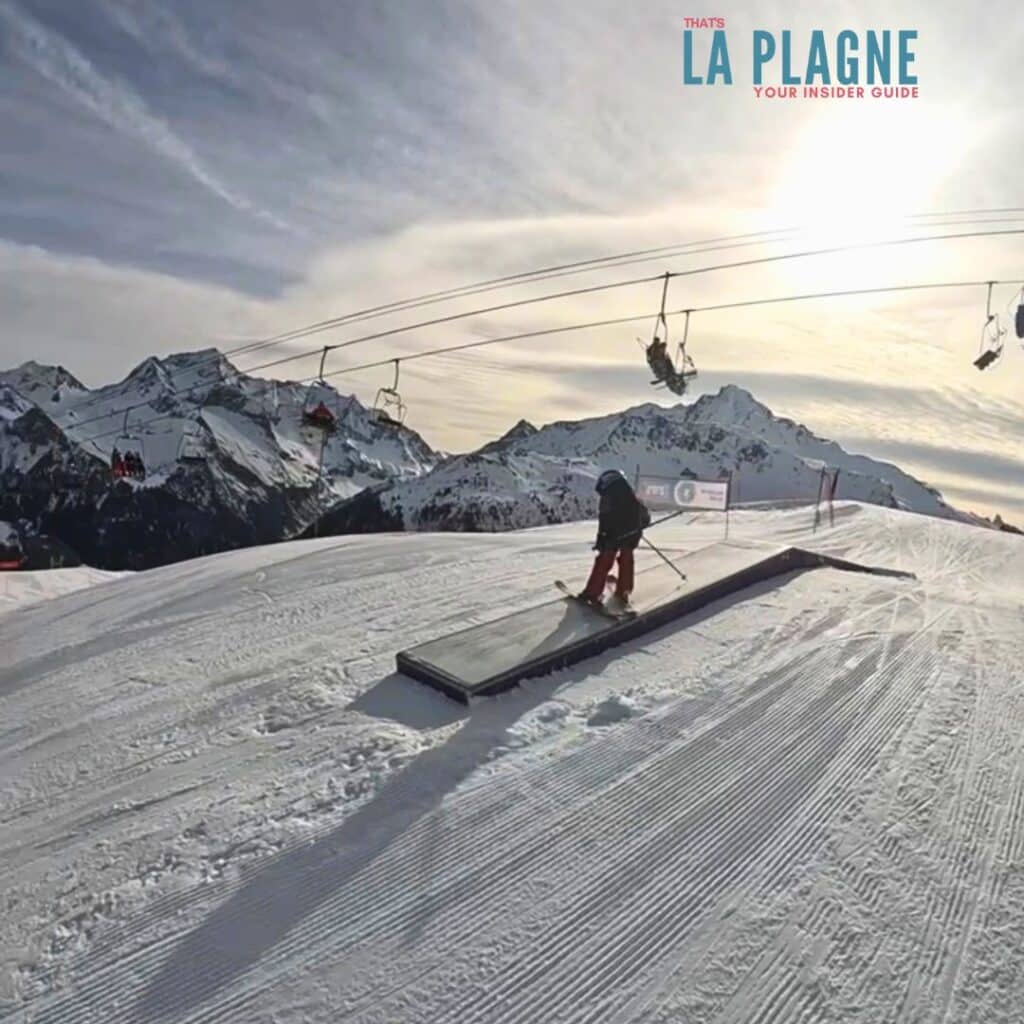
Photography, especially in the dynamic and often unpredictable mountain environment, comes with its challenges, especially when your subjects are your kids! Capturing the perfect ski action shot, the unbridled joy of my kids mastering a new run, or the spontaneous snowball fight requires more than just good timing. It requires a tool that can keep up with the speed of life here in La Plagne. That’s where the burst mode feature on my iPhone becomes indispensable.
In the following guide, I’ll take you through why and how to use your iPhone’s burst mode to capture those fleeting moments on the slopes. Whether you’re a fellow resident of the snowy mountains, planning your family’s first ski holiday, or just someone who loves capturing life in motion, burst mode is a game-changer for photography. Let's dive into making every shot count and ensuring those precious ski holiday moments are captured just as beautifully as they unfold.
What is Burst Mode on your iPhone?
Capturing the thrill of a ski holiday with your family involves more than just snapping a single perfect shot. Skiing is about movement, laughter, and the joy of gliding down snowy slopes together. That’s where your iPhone’s burst mode comes in as an indispensable tool. Burst mode allows you to take multiple photos in rapid succession by simply holding down the shutter button. This means you can capture every leap, turn, and giggle with stunning clarity and detail.
The first thing you need is this
Get my La Plagne deals straight to your inbox:
- Transfer codes
- Accommodation deals
- Ski lesson sales
- Ski hire offers
Why is Burst Mode Good for Ski Holiday Photos?
Why is burst mode so useful for ski holidays? Well, when your kids are zooming past you on the slopes, or you’re trying to catch that moment of triumph after a successful ski run, timing is everything. The chance of capturing the peak of action with a single shot is slim. Burst mode ensures you don’t miss the action. It’s like having a high-speed camera right in your pocket, giving you a sequence of shots that represent the dynamic nature of skiing.
This feature is especially helpful in the unpredictable and fast-paced environment of a ski resort. Whether it's your little one’s first time on skis or a family race down your favourite run, burst mode captures the essence of these experiences in a way that a single photo often cannot. From the anticipation at the top of the slope to the joyous expressions at the bottom, you’ll have a series of images that tell a fuller story of your adventure.
Moreover, with burst mode, you don’t have to worry about perfect timing or missing the moment. It offers a practical solution for capturing high-quality images that are full of life and emotion. And the best part? You can select the best photos from the lot, ensuring that only the most memorable moments make it to your photo album or Instagram feed.
So, whether you’re a seasoned ski family or hitting the slopes for the first time, burst mode on your iPhone is your secret weapon for documenting those unforgettable ski holiday moments. Now, let’s dive into how you can harness the power of burst mode to capture your family’s ski adventures in all their glory.
Step 1: Open Your Camera App
Start by unlocking your iPhone and opening the Camera app. You'll want to do this before you hit the slopes so you're ready to capture those moments as soon as they happen.
Step 2: Select Photo Mode
Ensure your camera is set to Photo mode. Burst mode works in this setting, allowing you to capture multiple photos in quick succession.
Step 3: Locate Your Subjects
Before your family starts skiing down the slope, position yourself in a spot where you can easily see them coming towards you. This is crucial for getting those action-packed shots with everyone in the frame.
Step 4: Use the Burst Mode
On most iPhone models, you capture photos in burst mode by pressing and holding down the shutter button (the big circle on your screen). For iPhone 11 and later models running iOS 14 and above, you'll need to drag the shutter button to the left (for portrait orientation) or drag it down (for landscape orientation) and hold it to start taking burst photos.
Step 5: Keep Holding
Keep holding the shutter button down as your family skis past you. Your iPhone will continue to take photos as long as you're holding the button. Don't worry about taking too many; the idea is to capture as many moments as possible so you have plenty to choose from.
Step 6: Review Your Shots
Once you've captured the action, let go of the shutter button and head into your Photos app to review the burst photos. You'll see them grouped together, which makes it easy to scroll through and find the best ones. I’ve often got a hundred photos in one action. It might sound excessive, but it’s super easy to scroll through to keep only your favourite shots – in the next step!
Step 7: Select Your Favorites
When you’re finished snapping the action ski shots, tap on the burst photo group, then select “Select” to view all the individual photos. Scroll through and tap on the ones you want to keep; these will have a blue checkmark. You can select as many as you like.
Step 8: Save and Share
After selecting your favourites, tap “Done” and choose to either keep only the favourites or keep everything. Then, you're ready to share these awesome moments with friends and family or on your favourite social media platforms.
That's La Plagne & How to Use Burst Mode for Great Ski Photos
Using burst mode on your iPhone is a straightforward and effective way to capture those dynamic, action-filled moments with your kids and family while skiing. It ensures you don't miss a beat and gives you a range of images to choose from so you can find that perfect shot that encapsulates the fun and excitement of your ski adventures.
For more photography tips & tricks, check out my ultimate guide on how to capture great ski holiday photos and download my 200+ Skiing Captions for Social Media.
See you on the slopes!
